Types of Glovo cancellation: how to tell whether it was the restaurant or the platform
A cancellation does not always cost you, but the ones that do affect your fulfilment rate and your visibility in the app. Here is how to tell them apart and how to reduce the ones that are down to you.
A guide for operations managers, franchisees and dark kitchens. If you are a Glovo customer wanting to claim on your own order, the channel is Glovo customer help, from the Help section of your profile in the app.

In Glovo's Portal Manager, every cancellation looks the same: the order turns red and disappears from service. Underneath, though, there are two very different families, and only one counts against the restaurant.
Knowing which is which is not an administrative detail. Cancellations the platform attributes to the site affect your fulfilment rate, and that metric decides whether you get into promotions and how you appear in the app's listings.
What is an avoidable cancellation on Glovo?
An avoidable cancellation is one Glovo attributes to an internal failure at the restaurant: an item out of stock, excessive delay in prep or an order not confirmed in time. It is labelled as such in the issues column of your history and counts against your fulfilment rate. Cancellations caused by the platform, by contrast, appear simply as cancelled and do not penalise the site.
The two families of cancellation
| Type | Common causes | How it appears | Counts against you |
|---|---|---|---|
| Caused by the platform | No riders in the area, a technical issue in the app, an error transmitting the order. | Order cancelled, with no label in the issues column. | No |
| Avoidable (the restaurant's) | Item out of stock, delay in prep, order not confirmed or badly handled. | An avoidable cancellation label in the issues column. | Yes |
The underlying rule is simple: if the problem was in Glovo's logistics or systems, the cost stays on their side. If the order fell through because of something happening inside your kitchen, the platform takes the view that better organisation could have prevented it.
That distinction matches what Glovo publishes about its ranking system for placement in the app: cancellation rates go in, along with ratings and delivery time, under the factor the platform calls performance.
Why avoidable cancellations are nearly always a timing problem
When we review the history of a site with a lot of avoidable cancellations, the pattern repeats: it is not chaos, it is the rush. The order comes in, the kitchen is running behind, the rider arrives before it is ready, the customer watches the estimated time climb and cancels. The label comes afterwards.
The three causes behind it most often:
- Stock not updated: the item is still showing on the menu when it has run out. It gets cancelled when somebody orders it.
- Badly calibrated prep times: the app promises fifteen minutes and the kitchen takes twenty-five during the rush.
- Orders nobody confirms: they come in when the kitchen is flat out and sit unaccepted until they expire.
How to reduce the cancellations that do count
- Review your history every week and separate the avoidable ones from the rest. Without that split, the conversation with your team is just an exchange of opinions.
- Cross-reference the avoidable ones against the time of day. If 80% fall between 21:00 and 22:30, the problem is capacity, not attitude.
- Set the prep times in the app to what your kitchen really takes during the rush, not what it takes at five in the afternoon.
- Switch items off as soon as they run out, even half an hour before closing.
- Bring order to the pickup: if the rider knows when the order will be ready and the kitchen knows when they arrived, queues stop building at the counter.
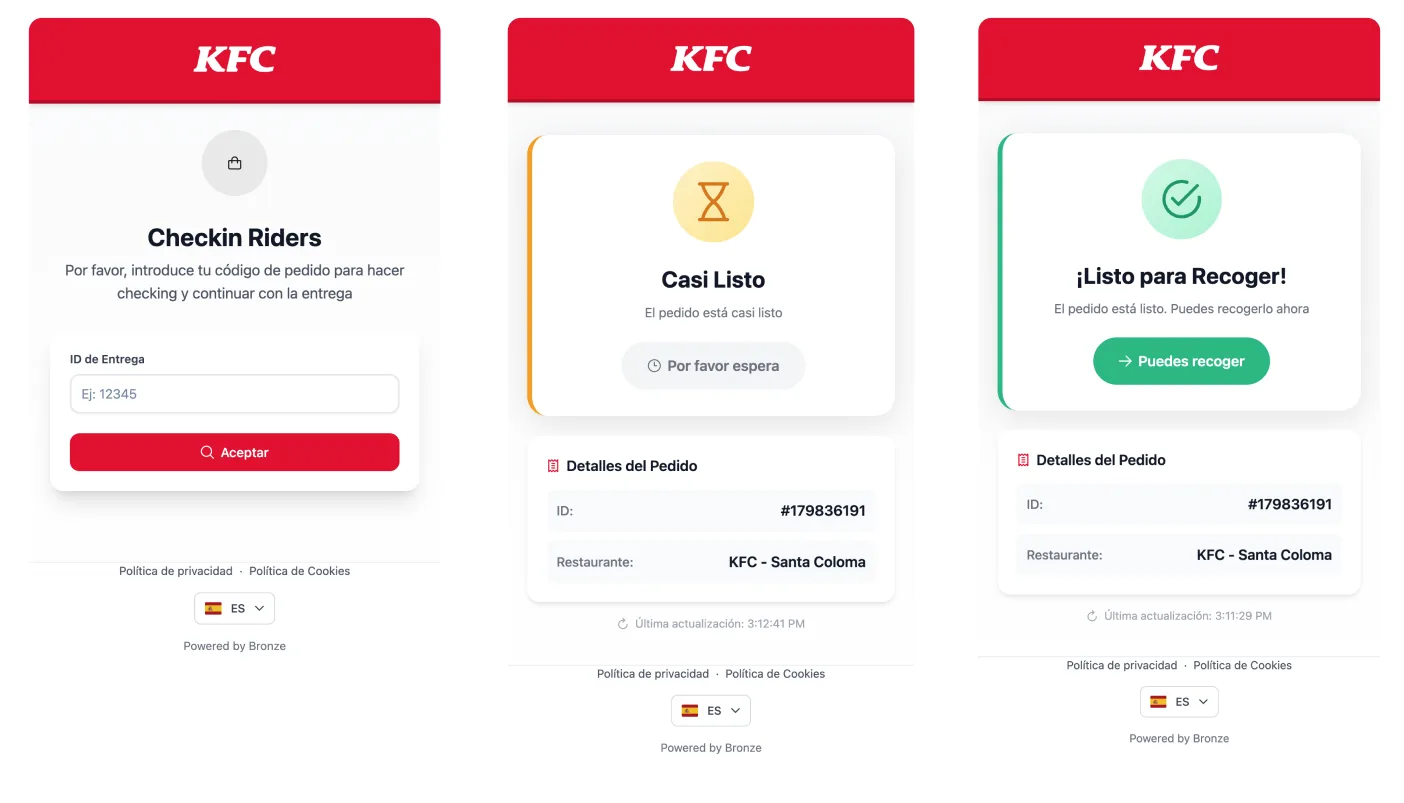
That last point is the one usually left hanging, because it does not depend on the kitchen alone. Bronze Riders puts both sides on the same screen: the rider checks in with the order code, sees the real prep status, and the kitchen gets an alert when they arrive or when they have been waiting too long.
Glovo measures that wait under a name of its own. Avoidable courier wait time is counted from the moment the courier is ten metres or less from the site until they mark the order as collected, minus the preparation time you declared, and the platform itself warns that it drives cancellations and negative reviews.
An avoidable cancellation and a deduction are different things: the first affects your fulfilment metric, the second takes money off you. It is worth reviewing them separately, because they are fixed with different measures.
And when the cancellation arrives with the order already made
There is a case of its own: the order was prepared, left the kitchen and the cancellation lands afterwards, or no rider turns up to collect it. There is no fulfilment rate to fix here, there is food you paid for going to waste. With the photo of the plated order and its timestamp, Bronze Tracker turns that cancellation into a documented fact and claims it back for you, just as it does with refund disputes.
What to take away
- Only cancellations labelled avoidable count against your fulfilment rate.
- Nearly all of them come down to timing, stock or unconfirmed orders during the rush.
- Reducing avoidable cancellations improves your position in the app, and that shows up in sales before it shows up on your statement.
Sources
- Glovo, ranking system for placement in the app: sell.glovoapp.com. Consulted 10 September 2026.
- Glovo, avoidable courier wait time: sell.glovoapp.com. Consulted 10 September 2026.
- Glovo, customer help: glovoapp.com. Consulted 10 September 2026.