What's new

Bronze gets better every week

What's new in Tracker, Hub, Riders and Feedback. Published every Monday.

1 Sept 2026

Issue No. 006 · Tracker 4.45 · Hub 2.3

Latest
Tracker

Product news reaches your tablet New

Each new edition shows up in the Tracker on its own.

  • It only opens when the kitchen is quiet, never over an order.
  • Want to read it again? Settings → What's new.
The what's-new modal open over the Tracker's settings screen
Tracker

Asking for help takes one tap Improved

The help button is now always in sight.

  • Tapping it opens the chat with the message already started — you just describe the problem.
Hub

In the Hub, behind the megaphone icon New

Tap it and the news opens. Top right corner.

  • A blue dot tells you when there's a new edition.
  • Each week's news, without leaving the Hub.
The what's-new dialog open over the Hub's Analytics dashboard

24 Aug 2026

Issue No. 005 · Tracker 4.40

Tracker

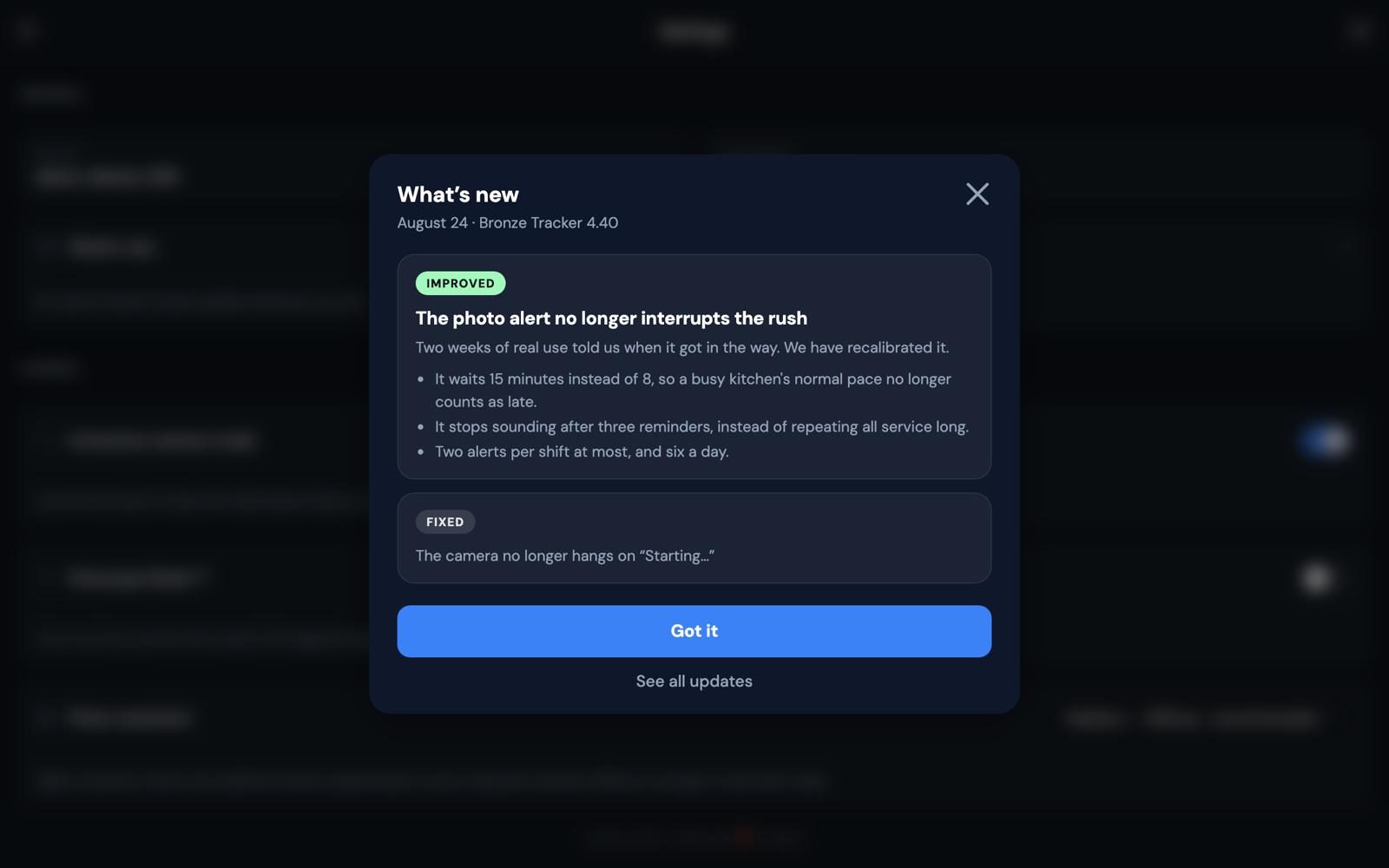
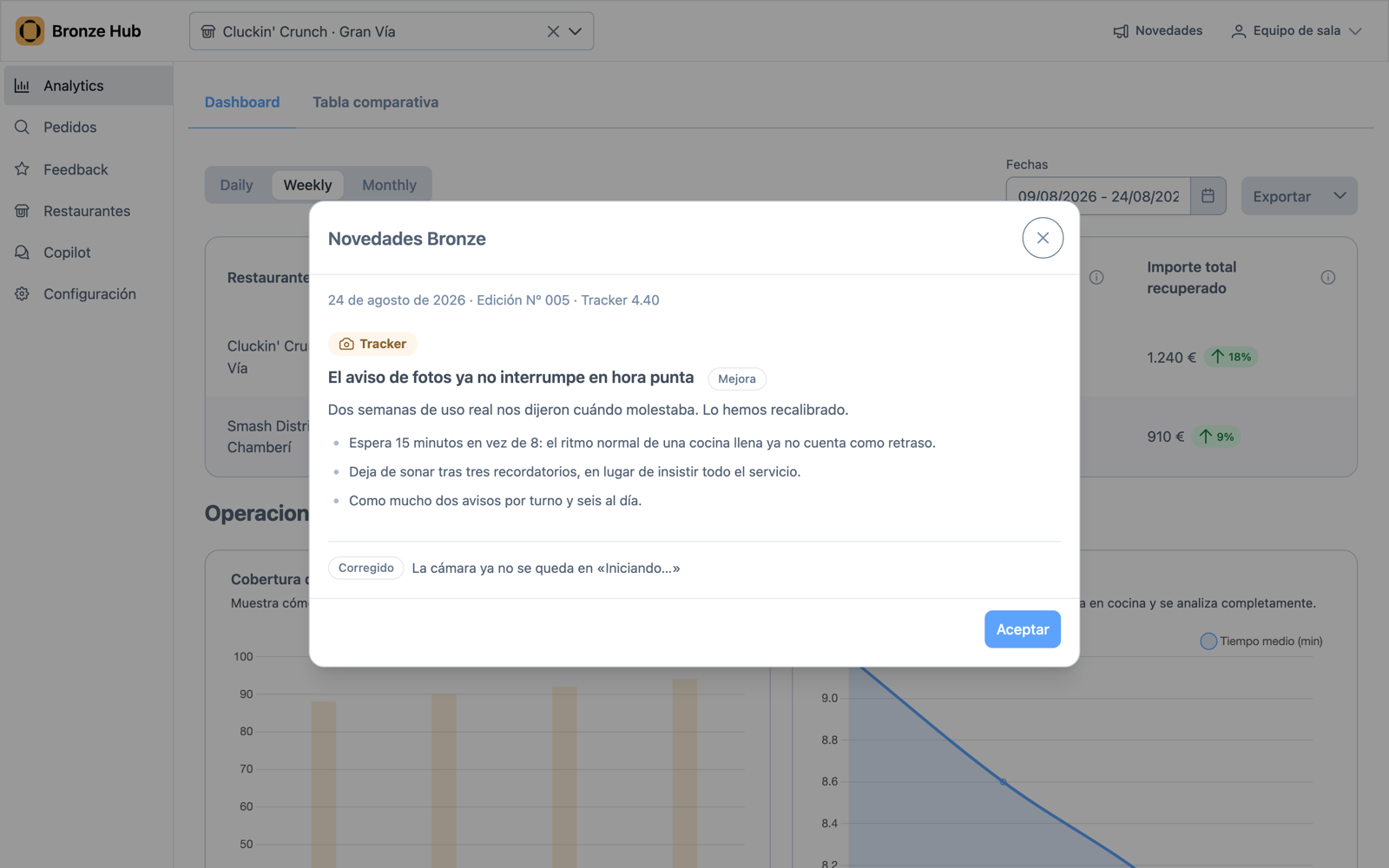
The photo alert no longer interrupts the rush Improved

Two weeks of real use told us when it got in the way. We have recalibrated it.

  • It waits 15 minutes instead of 8, so a busy kitchen's normal pace no longer counts as late.
  • It stops sounding after three reminders, instead of repeating all service long.
  • Two alerts per shift at most, and six a day.
The alert's second step: we are slammed, or something is wrong with the tablet

10 Aug 2026

Issue No. 004 · Tracker 4.37

Tracker

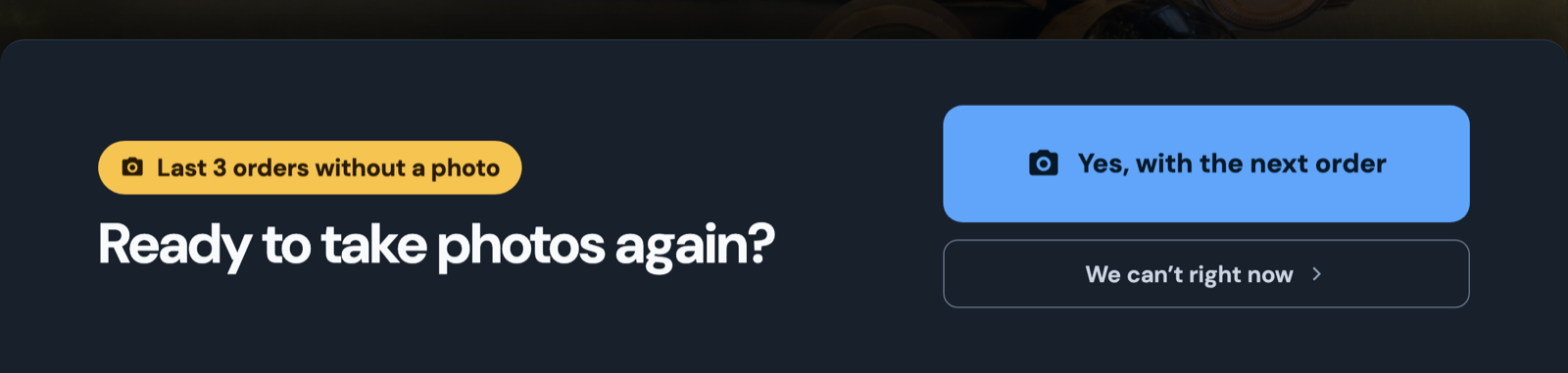
An alert in the kitchen when orders pile up without a photo New

When three orders go unphotographed, the tablet says so on the spot, instead of waiting for the monthly report.

  • One tap settles it: “Yes, from the next order”.
  • If you cannot right now, say so: the alert stands down for 10 minutes instead of nagging.
  • And if the tablet is the problem, it opens support straight from the alert.
Tracker alert asking to resume taking photos, showing the number of orders without one

3 Aug 2026

Issue No. 003 · Tracker 4.35 · Hub 2.2

Tracker

The tablet no longer leaves you guessing while it starts Improved

We reworked startup and reconnection so they say where they are.

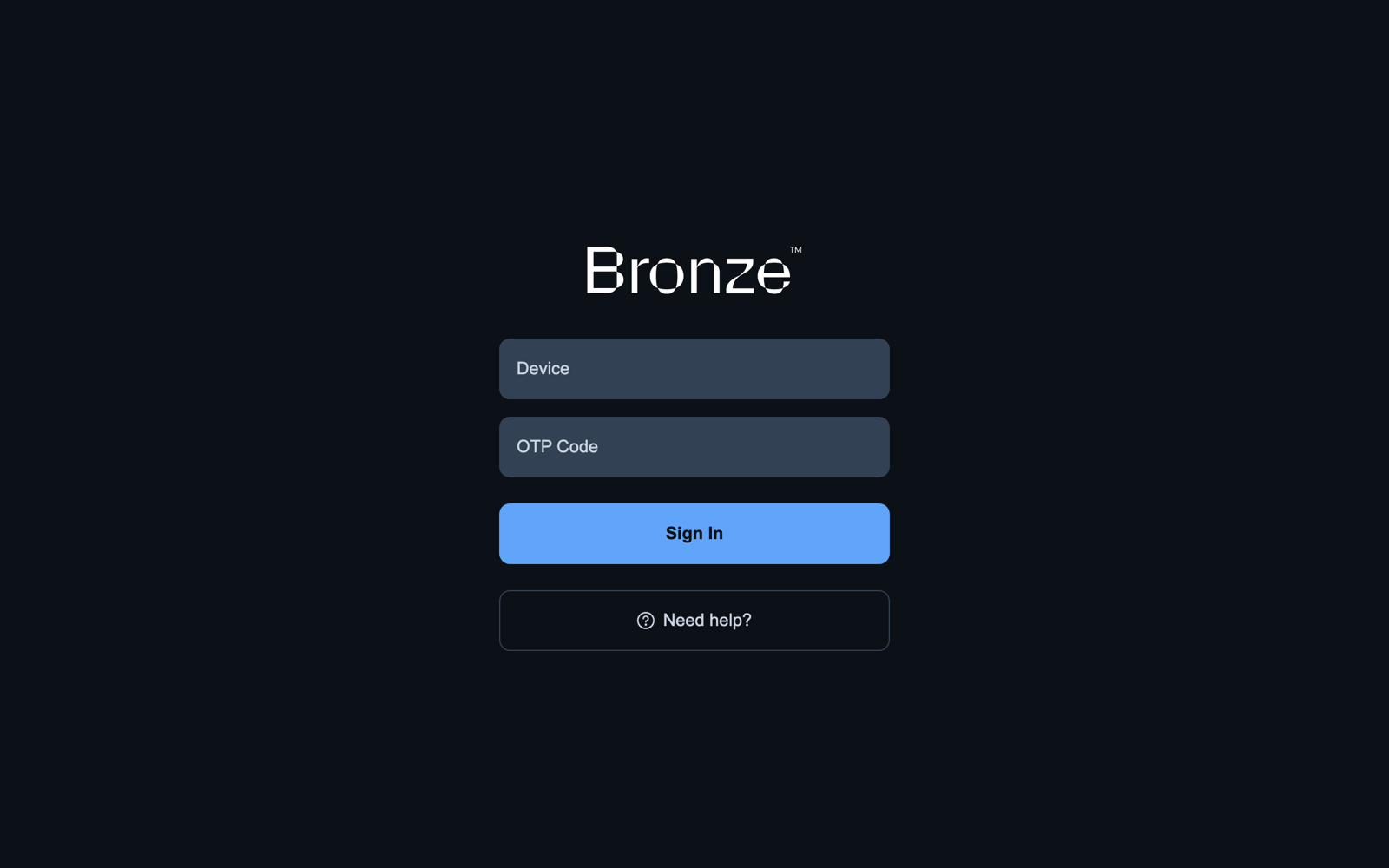
  • One message at a time: connecting, taking a while, restarting, or offline.
  • If something hangs, the app recovers on its own instead of sitting there.
  • And if it fails outright, the error screen is in your language, with a button to reload.
Tracker sign-in screen, with the device and OTP code fields
Hub

Tell us when a detection does not add up New

A button on the order detail to report that the analysis is wrong.

  • On the order detail, and inside the enlarged photo too.
  • Every report reaches our vision team and sharpens the model for your menu.

27 Jul 2026

Issue No. 002 · Tracker 4.35 · Hub 2.2

Tracker

Every order arrives with its icon Improved

  • Own delivery, pickup, drive-thru or takeaway: each order carries its icon in the list.
  • One glance tells you, no ticket needed.
The Tracker's order strip, each order with its type icon
Hub

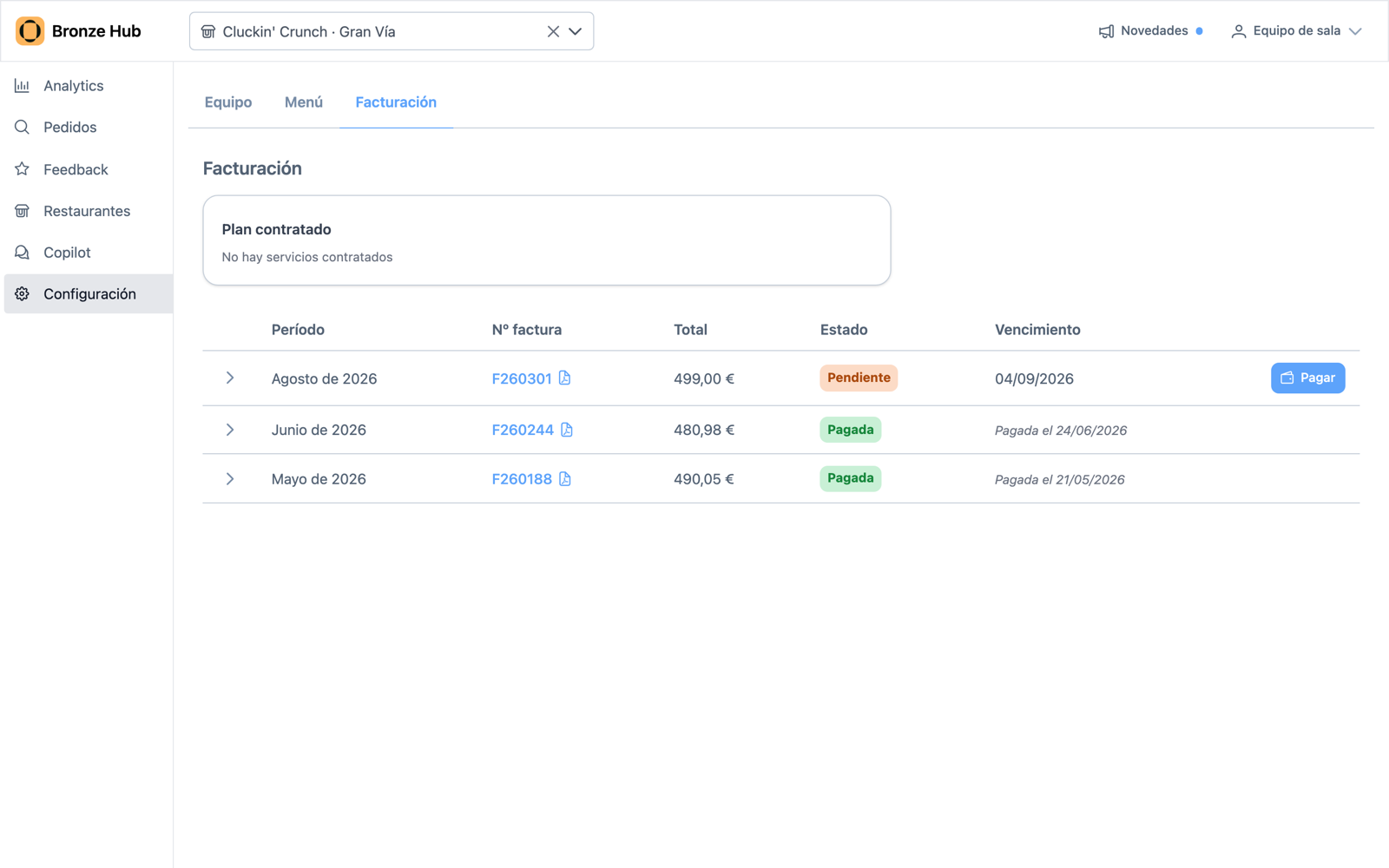
Your Bronze invoices, in the Hub New

Settings → Billing has every invoice, month by month.

  • Each one with its status: paid or pending.
  • Pending ones can be paid right there.
  • If you pay by direct debit, you see whether it's active and can reactivate it without writing to us.
The Hub's Billing tab with the invoice list, statuses and the pay button
Hub

Your stores, compared in one table New

  • In Analytics: coverage, money recovered and prep time, store by store.
  • You see straight away which store is slipping, and where.

13 Jul 2026

Issue No. 001 · Tracker 4.30

Tracker

The photo is taken the moment you press the button Improved

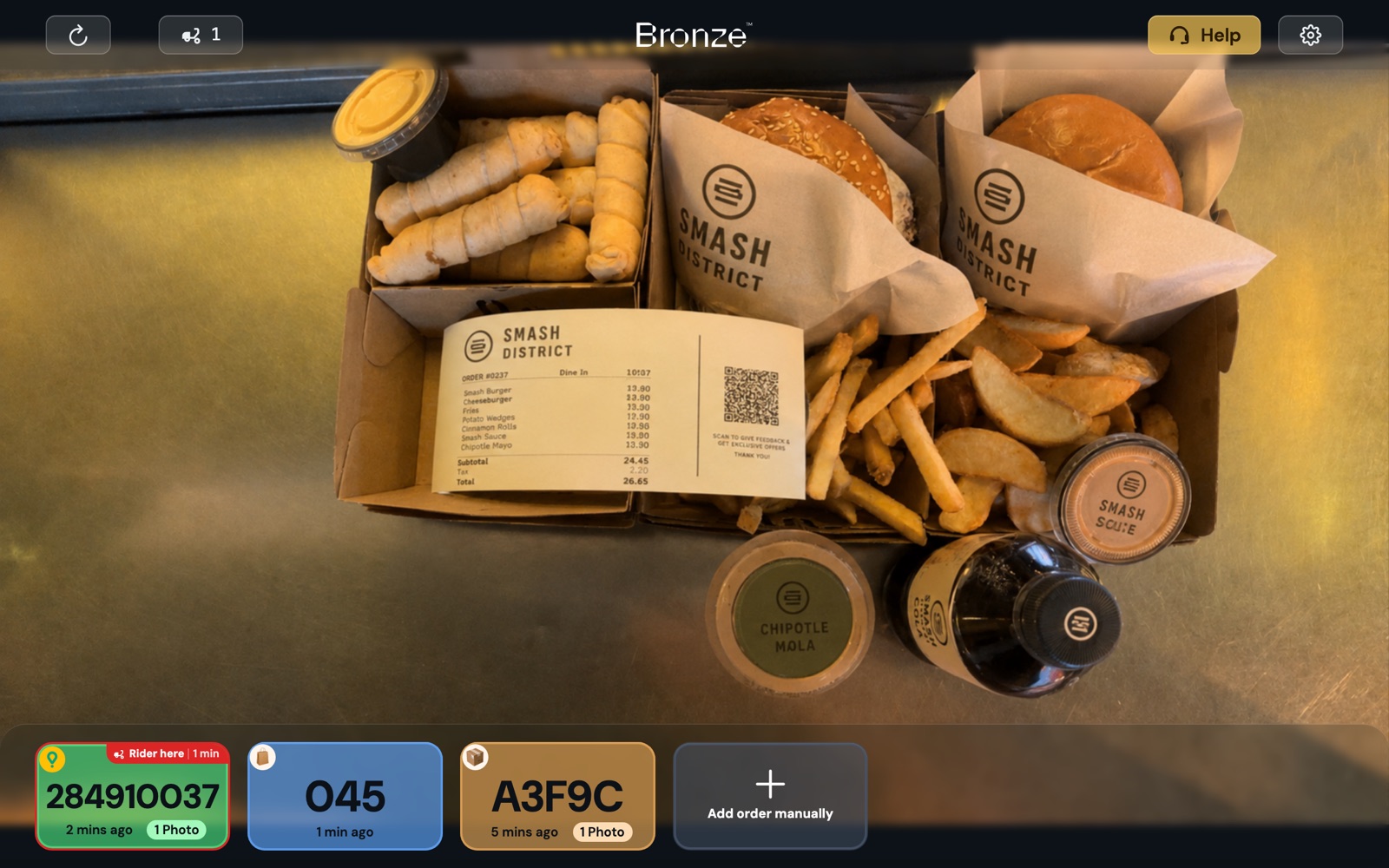
Taking an order's photo no longer breaks your rhythm.

  • What gets saved is exactly what you see on screen, no waiting.
  • Works the same on any tablet, nothing to set up.
The camera screen with an order framed and the order strip along the bottom
Tracker

Fewer stutters in the order list Improved

  • The list used to redraw whole on every update; not any more.
  • Most noticeable on older tablets.
Hub

The order shows you what was missing Improved

  • If an order went out wrong, you see which products weren't in the photo.
  • Right on the order's page, no digging.

Nothing for that product yet.